kleio view
This is what your kleio looks like when you open a new account.
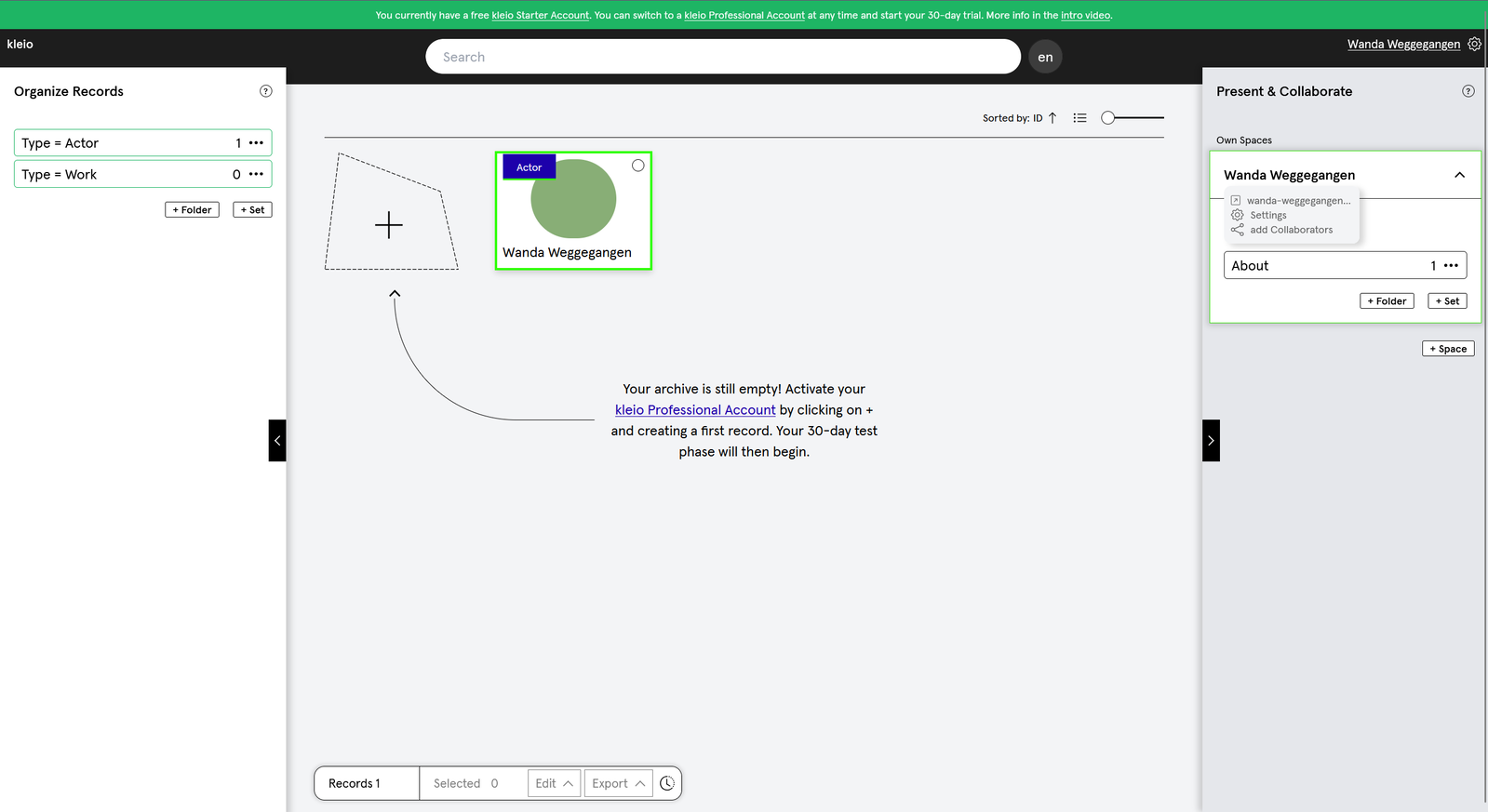
The account name is shown at the top right of the black bar. From here you can manage your account, jump straight to the user guide, send support requests or log out.
Your search bar is in the black bar at the top. It helps you sort your records.


Your structure is on the left in the Internal - Organize panel. Here you can filter your works by category, create collections of works and add folders.
kleio automatically creates two Smart Sets that sort your works by the types Actors and Work.
Related entries:


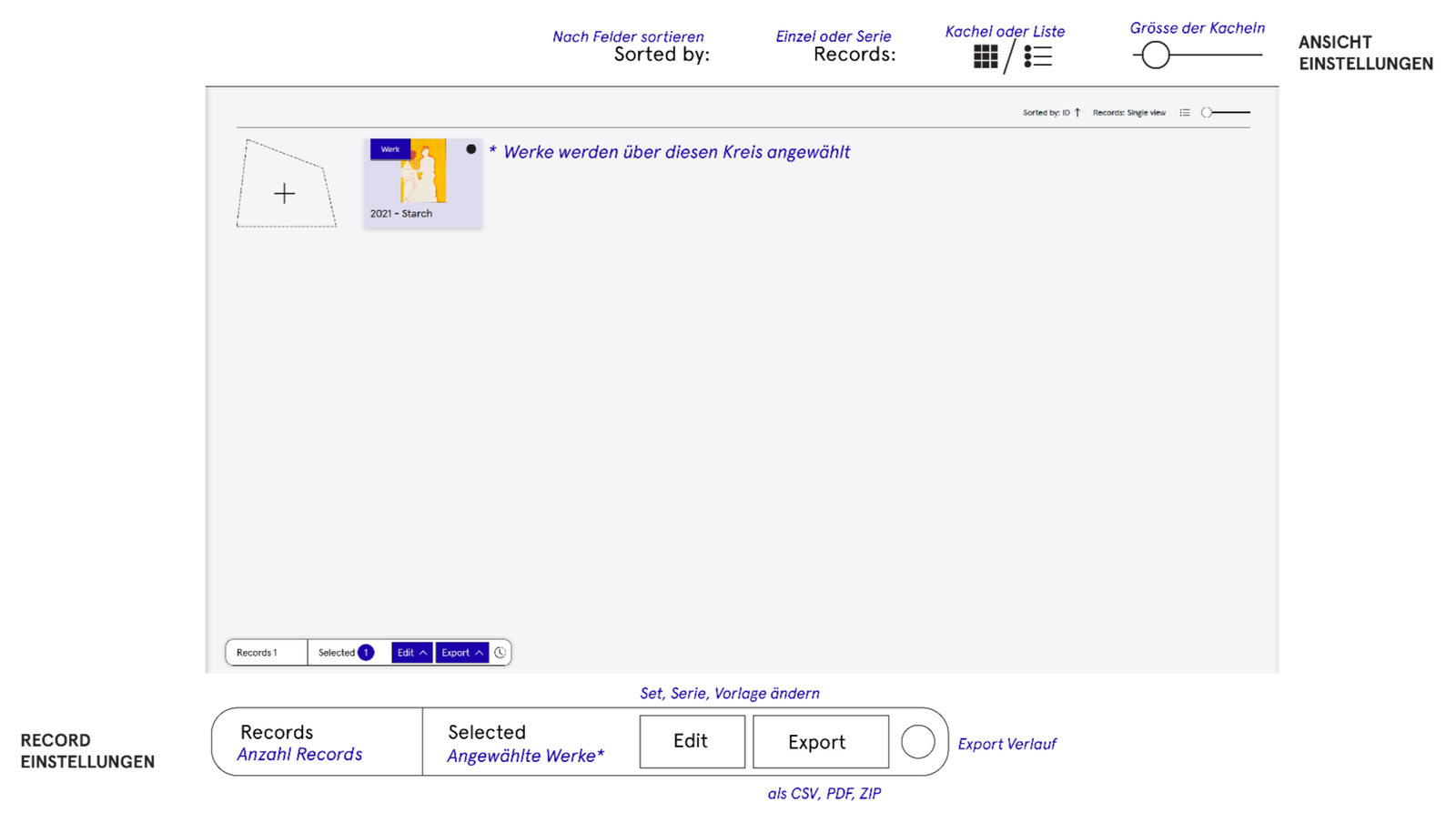
In the middle of the page is the work table. Here you can create, edit, move and export works. The action menu is at the bottom left of the work table.


The structures of your websites are on the right in the External - Present panel. This is also where you manage your collaborations.
kleio automatically creates a website with the account name.
Related entries:


Only you can see what is in the ORGANIZE panel. As soon as you drag something into the PRESENT panel, it is published in the corresponding space (website).
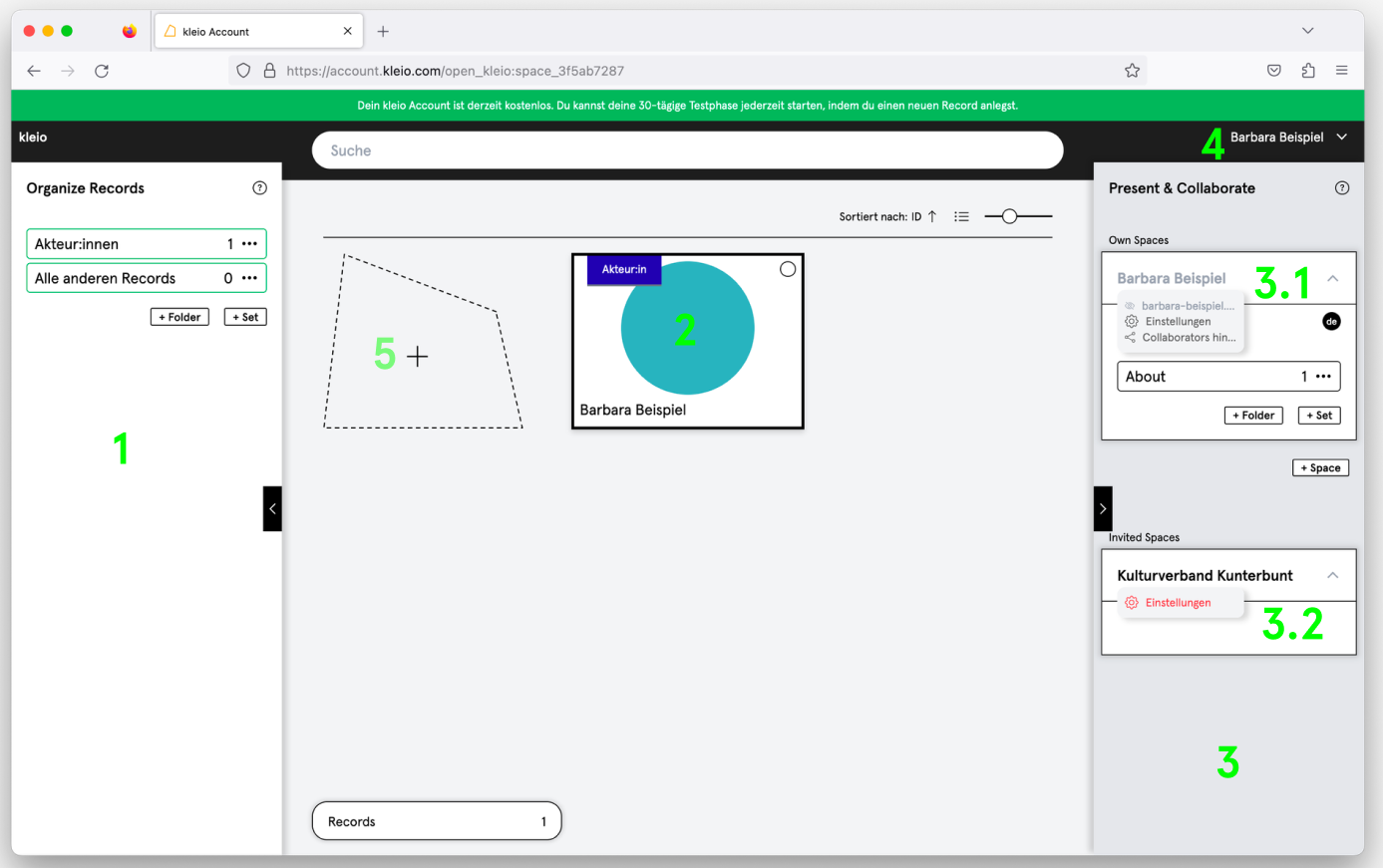
1: Your catalogue of works
This is the left panel Organize. Here you build your catalogue of works. Everything you do here is internal and only visible to you. For CHF 144 per year you can capture, describe and structure an unlimited number of projects here.
2: Free profile record
This is your Profile Record - your profile on kleio. Click it to edit it. You can upload a picture and add information about yourself. This record is free of charge.
3: Your websites (spaces)
This is the right panel Present & Collaborate. Here you create and manage websites. Everything you do here can also be made public.
3.1: Your free kleio website
This is your kleio website with your kleio domain. Your profile record is already placed in its About section. This one-page website is free of charge.
3.2: You have been invited to this space
You have been invited to this collaborative space (a website of another kleio user that you may contribute to). The next step is to accept this invitation and share your profile record with this space.
4: Account settings
This takes you to your account settings.
5: Add a record
Here you can add more records. As soon as you add another record, your 30-day trial starts, in which you can try all kleio features for free. You don't need to add a payment method for this.