Action menu
Action menu
With the action menu you can edit several records at once, for example by overwriting them with a new template or deleting them.
The action menu is at the bottom left of your account and shows you which records you have currently selected (marked).
Using the action menu

To use the action menu, you first need to select records, as all actions are based on a selection.
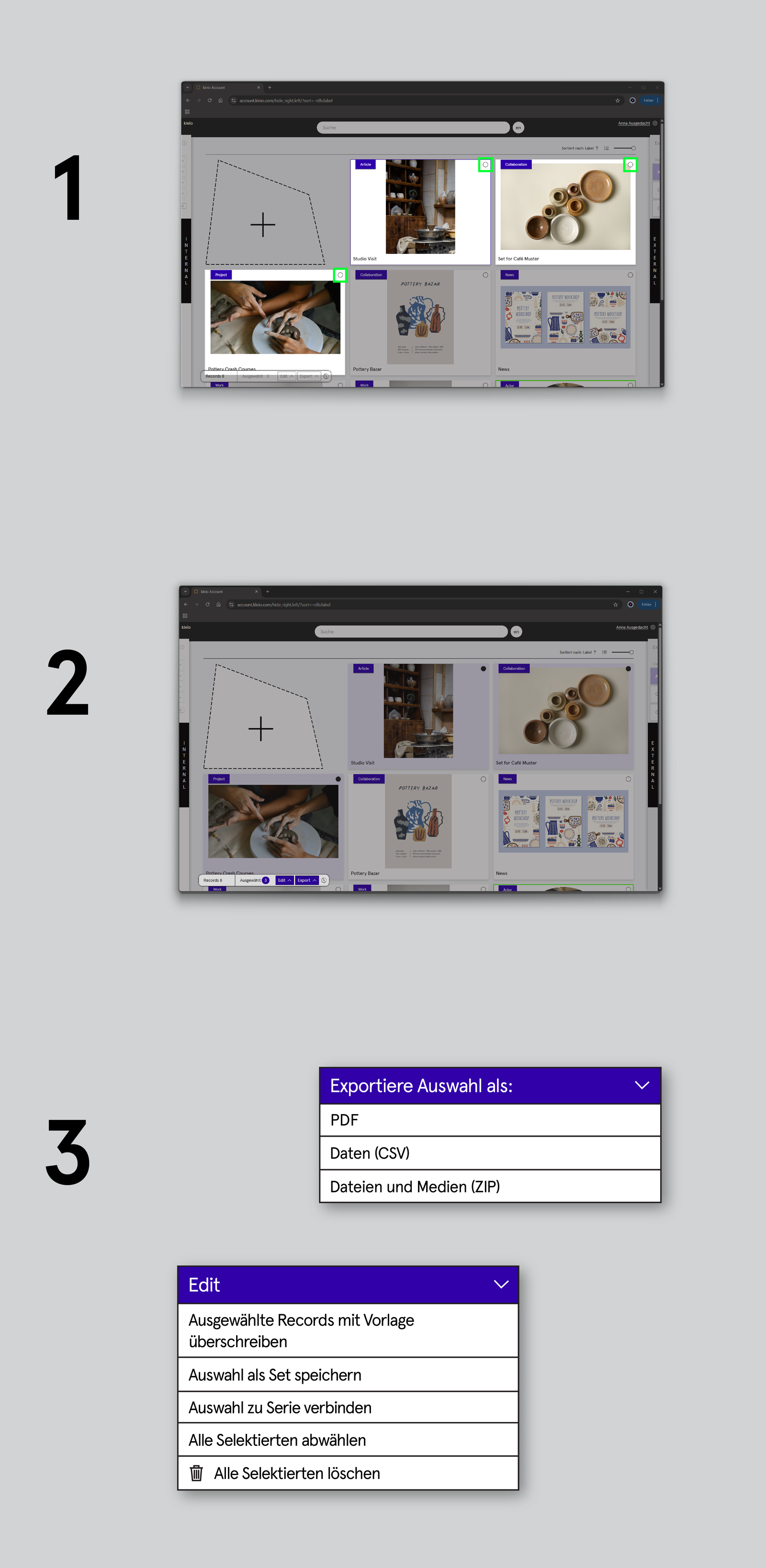
- Select records
- Open the action menu
As soon as at least one record is selected, the
EditandExportbuttons at the bottom left become active (blue).
Click the dot in the top right corner of a record.
Hold Shift to select several records at once.
- Choose an action
Click
EditorExportto open the options in the drop-down.
Edit
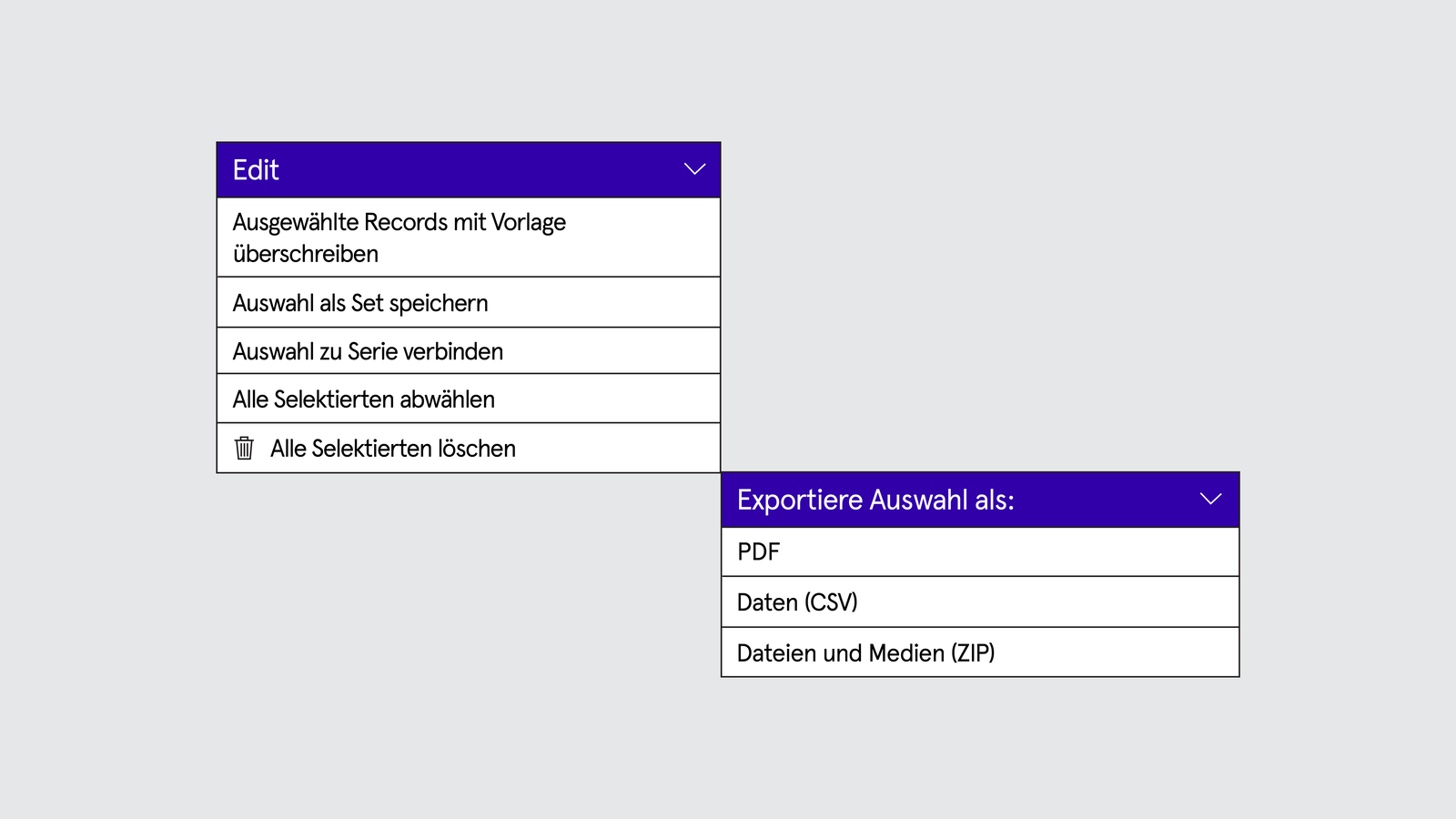
In the Edit menu you can edit and organise several selected records at once. All actions apply to the current selection.
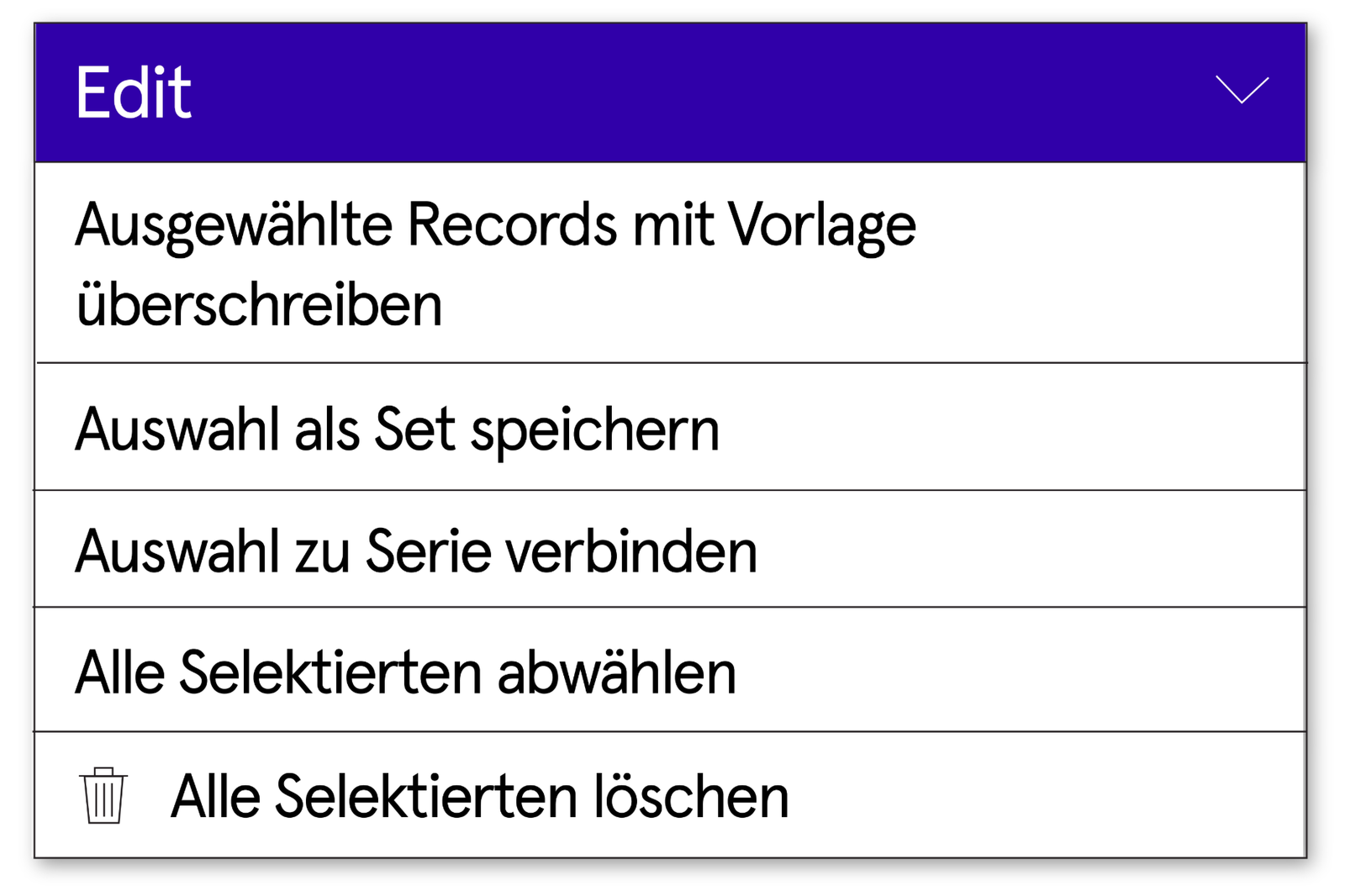
Overwrite selected records with template
Save selection as set
Saves the current selection as a set so you can quickly access it again later.
→ More about Sets
Connect selection into a series
Links the selected records into a series.
→ More about series
Deselect all
Delete all selected
Clears the current selection.
Deletes all selected records.
Bulk Edit
When you overwrite records with existing templates, information already entered and fields already used are not removed, only added to.
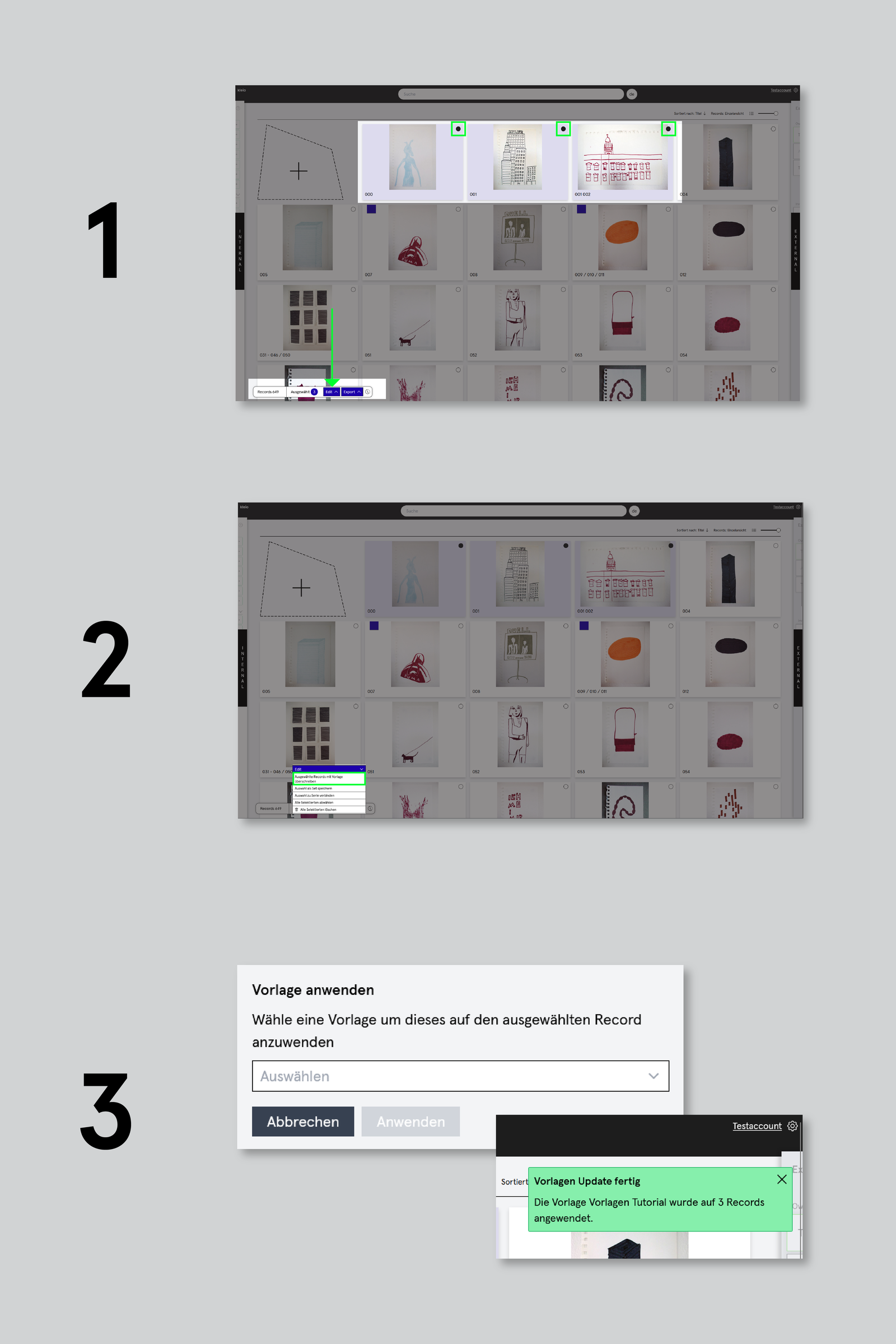
- Select the record or records you want to apply a template to.
- Click Edit at the bottom left of the action menu. The window that opens offers various editing options.
- Choose the template you want and apply it.
Choose “Overwrite selected records with template”.
You can keep working in the meantime. As soon as a green confirmation message appears at the top right, the template has been applied to the selected records.
Export
With the Export menu you can export selected records in various formats. All exports are based on the currently selected records.
You will find detailed information and step-by-step instructions in the entry on Export.
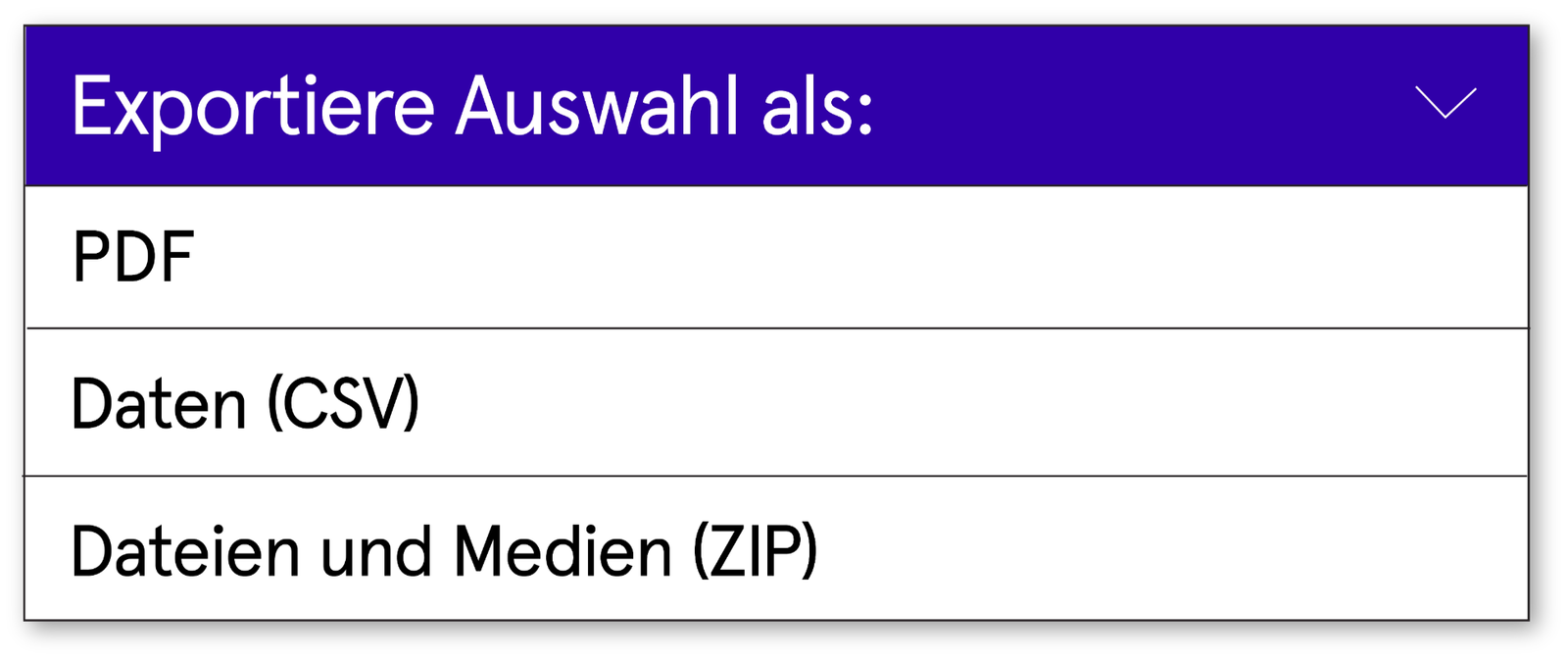
PDF Exports the selected records as a clearly laid-out document.
Data (CSV) Exports the records' metadata as a structured table (e.g. for Excel).
Files and media (ZIP) Exports all related files and media together as a ZIP archive.